
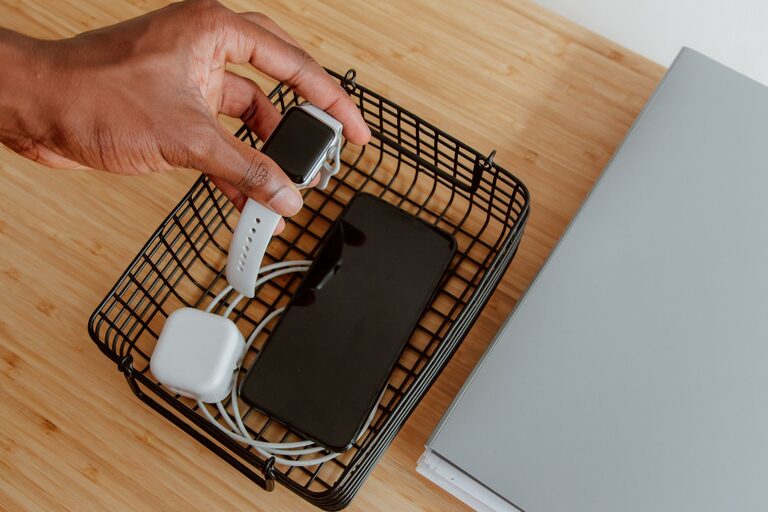
Setting up a dedicated charging station for your devices is a great way to keep your electronics organized, prevent clutter, and ensure everything stays powered up and ready to go. Whether you have smartphones, tablets, laptops, or other rechargeable gadgets, a well-planned charging station can save you time and hassle.
In this guide, we’ll walk you through the steps to create a functional and tidy charging station at home. From choosing the right location to managing cables, you’ll learn how to keep your devices charged efficiently and in one convenient spot.
Why Set Up a Charging Station?
Before we begin, here are a few benefits of having a designated charging station:
– Organization: No more searching for chargers or tangled cables.
– Safety: Avoid cords scattered across floors, reducing trip hazards.
– Efficiency: Charge multiple devices at once without overloading outlets.
– Protection: Keeps devices in one place where you can monitor them.
Step 1: Choose the Ideal Location
Selecting the right spot for your charging station is key. Consider these factors:
– Accessibility: Place it in a central area of your home where you spend time, like the kitchen, living room, or home office.
– Power Source: Choose a location near electrical outlets to avoid using long extension cords.
– Ventilation: Ensure good airflow to prevent chargers and devices from overheating.
– Surface Space: A small table, shelf, or desk can work well as a base.
Step 2: Gather Your Charging Equipment
Next, collect everything you need:
– Charging Devices: Power strips or multi-port USB chargers with enough outlets or ports for all your devices.
– Cables: Use durable cables compatible with your gadgets. Consider having spares for convenience.
– Organizers: Cable clips, ties, or sleeves help manage cords neatly.
– Containers or Stands: Use trays, boxes, or stands designed to hold devices upright and visible.
Step 3: Choose the Right Charger
There are several types of chargers to consider:
– Power Strips with USB Ports: Allow you to plug in traditional chargers and also charge USB devices directly.
– Multi-port USB Hubs: These hubs can charge many devices simultaneously from a single outlet. Look for models with smart charging technology to prevent overcharging.
– Wireless Chargers: For compatible devices, wireless charging pads reduce cable clutter.
Choose chargers based on the number and type of devices you have and prioritize safety-certified models.
Step 4: Set Up Cable Management
Cable management is essential to avoid mess and tangles:
– Use Cable Clips or Holders: Attach these to the edge of the table or wall to keep cables in place.
– Label Cables: This helps quickly identify which cable belongs to which device.
– Shorten Cables: Use cable ties or wraps to keep excess lengths tidy.
– Hide Excess Cables: Conceal long cables behind furniture or inside cable organizers.
Step 5: Arrange Devices Thoughtfully
Arrange your devices considering their size and daily usage:
– Place frequently used devices in easy-to-reach spots.
– Use vertical stands for phones and tablets to save space.
– Avoid stacking devices to prevent overheating.
Step 6: Maintain Your Charging Station
Keep your station clean and functional with these tips:
– Regularly dust and wipe surfaces.
– Check cables for wear and replace damaged ones.
– Update chargers as needed to support new devices.
– Remove devices once fully charged to extend their battery life.
Bonus Tips
– Add Labels or Signs: If multiple people use the station, clear labels can help everyone identify their chargers.
– Include a Timer or Smart Plug: This allows you to control charging times and save energy.
– Keep Extra Accessories Nearby: Store adapters or power banks close to your charging station.
Final Thoughts
Setting up a charging station at home is a simple project that can greatly improve your daily routine. By choosing the right location, equipment, and organizing your cables and devices, you’ll enjoy a clutter-free space and always have your devices ready when needed.
Invest some time in this setup, and you’ll never scramble for a charger again!